
Understanding Translation Status Colors
Lovalingo uses a color-coded system to help you quickly identify the status of your translations for each language. Understand what each color means, from queued to live, and how to take action when needed.
Lovalingo uses a color-coded system to help you quickly identify the status of your translations for each language.
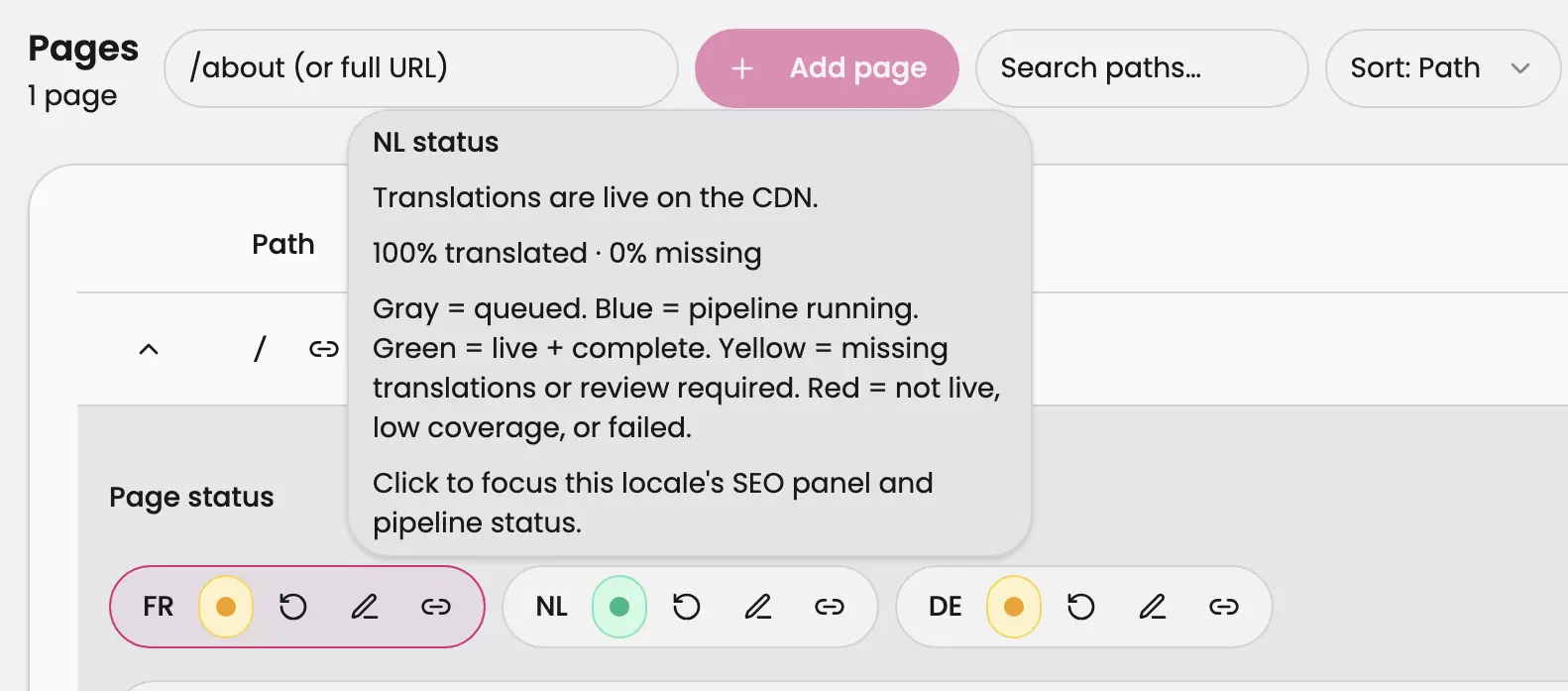
Status Indicators
Gray (Queued)
Your translations are waiting to be processed
They will automatically move to the next stage
Blue (Pipeline Running)
Translations are currently being generated or processed
This is an active state - please wait for completion
Green (Live + Complete)
Translations are successfully deployed on the CDN
All strings are translated and live on your website
No action needed
Yellow (Missing or Review Required)
Some translations are missing, or
Translations need review before going live
Click to view details and take action
Red (Not Live, Low Coverage, or Failed)
Translations failed to deploy, or
Coverage is too low to publish, or
An error occurred in the pipeline
Requires immediate attention
Quick Actions
Click on any language status indicator to view the SEO panel and detailed pipeline status for that specific locale.