
Next.js App Router i18n: Zero-Config Setup in 60 Seconds
Struggling with Next.js App Router i18n? Traditional methods like react-i18next often involve manual JSON files and complex setups. Discover a zero-config solution that integrates multilingual support in just 60 seconds, eliminating manual translation management and middleware.
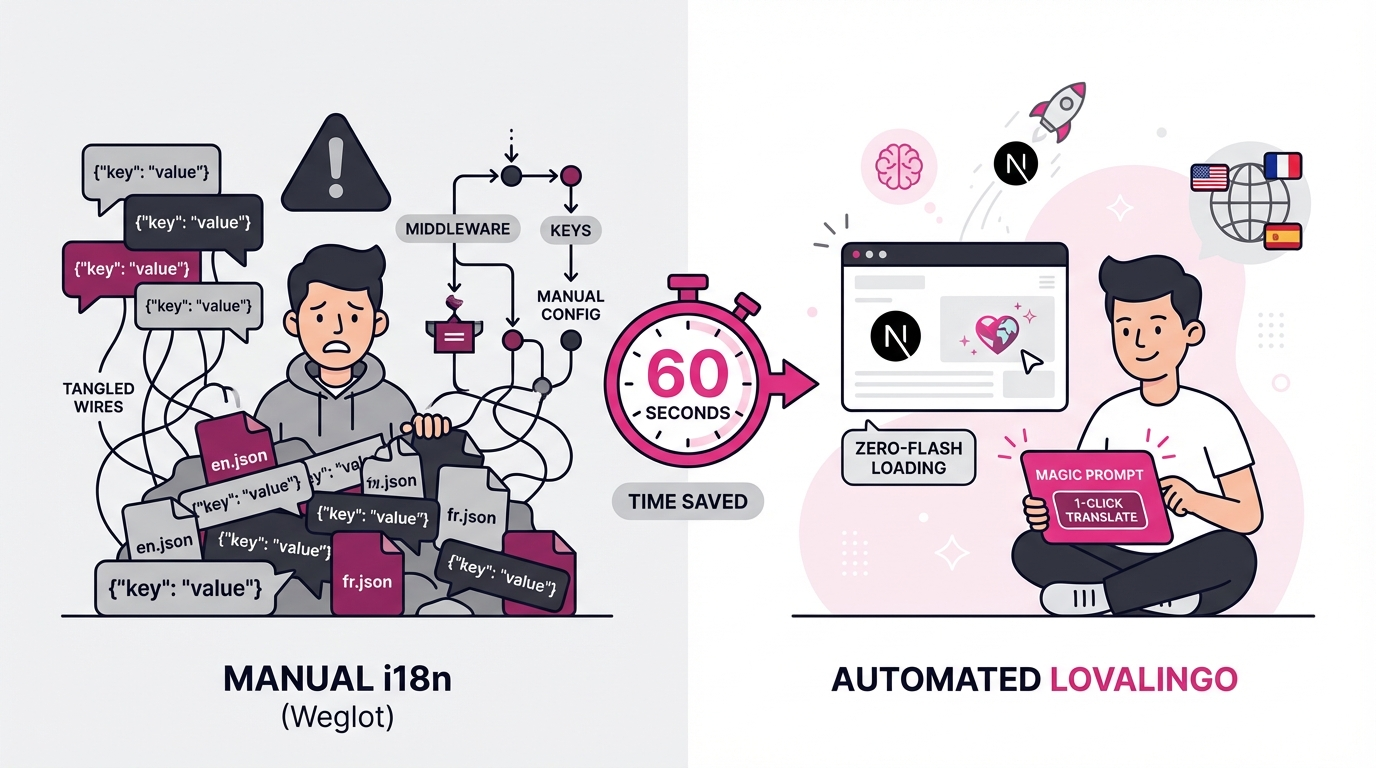
Introduction: The Problem with react-i18next
You've built an amazing Next.js 14 app with the App Router. Now you need to support multiple languages.
You Google "Next.js i18n" and find react-i18next. Looks promising, right?
Then reality hits.
You're creating JSON translation files. You're setting up middleware. You're configuring locale detection. You're managing namespaces. You're syncing translations across your codebase. And every time you add a new component, you're manually adding translation keys.
This is the traditional approach to i18n in Next.js, and it's broken.
It's not broken because react-i18next is bad—it's broken because it forces you to manage thousands of translation strings manually. For a developer using AI builders like Lovable or v0, this defeats the entire purpose of rapid shipping.
What if there was a better way?
There is. And it takes 60 seconds to set up.
In this guide, you'll learn how to add Next.js App Router i18n without touching a single JSON file. No middleware configuration. No manual translation management. No maintenance overhead. Just multilingual support that works out of the box.
Let's build it.
“I have 0 technical background, and the idea of managing JSON files seemed a total nightmare. With lovalingo, I launched the website of my Podcast in multiple languages super fast. The best part? No flickering or broken layouts like other people experienced with other tools. It’s the first time a tool didn't feel like a barrier to my growth.”
— Helena, Founder of Le Podcast des Philosophes
Why Next.js App Router Needs i18n
Next.js 14's App Router is powerful. It gives you:
Server Components by default (better performance)
Streaming for faster page loads
Layouts that don't re-render on navigation
Parallel routes for complex UIs
But here's what it doesn't give you: built-in internationalization (i18n).
If you're building for a global audience—and most modern web apps are—you need to support multiple languages. That means:
Translating content into different languages
Routing users to the correct language version (
/en/about,/es/about,/fr/about)Detecting user language preferences automatically
Managing SEO for each language (hreflang tags, language-specific meta descriptions)
Maintaining consistency across your codebase
The traditional approach to solving this is react-i18next. It's a popular library, and it works. But it requires:
Manual JSON files for every language
Middleware setup to detect and route languages
Namespace management to organize translations
Manual key creation every time you add new content
Constant maintenance as your app grows
For developers shipping fast with AI builders (Lovable, v0, Bolt), this is a bottleneck. You're spending time managing translation files instead of building features.
The solution? Automate it.
Traditional Approach vs. Lovalingo: Head-to-Head Comparison
Let's compare the two approaches side-by-side:
Feature | react-i18next | Lovalingo |
|---|---|---|
Setup time | 30-45 minutes | 2 minutes |
Manual JSON files | ✅ Yes (required) | ❌ No (automatic) |
Middleware configuration | ✅ Yes (required) | ❌ No (built-in) |
Locale detection | ✅ Manual setup | ✅ Automatic |
Translation management | ✅ Manual (you manage keys) | ✅ Automatic (AI-powered) |
Maintenance overhead | ✅ High (constant updates) | ❌ Zero (fully automated) |
Zero-flash rendering | ❌ No (causes layout shifts) | ✅ Yes (renders correct language before paint) |
SEO support | ⚠️ Manual hreflang tags | ✅ Automatic hreflang + meta descriptions |
Server Components compatible | ⚠️ Partial (requires workarounds) | ✅ Full support |
Cost | Free | Free tier (1 language) → $9/mo (3 languages) |
The key insight: react-i18next makes you manage translations manually. Lovalingo automates the entire process.
With react-i18next, you're responsible for:
Creating translation keys
Maintaining JSON files
Syncing translations across your app
Updating hreflang tags
Managing locale routing
With Lovalingo, you just deploy. Everything else is automatic.
Step-by-Step Setup: Add i18n to Next.js 14 App Router in 60 Seconds
Ready to get started? Here's the exact process.
Step 1: Install Lovalingo (30 seconds)
First, add Lovalingo to your Next.js project:
bash
npmOr if you're using yarn:
bash
yarn add @lovalingoThat's it. No additional configuration files. No middleware setup. Just one package.
Step 2: Wrap Your App (20 seconds)
Open your app/layout.tsx and wrap your app with the Lovalingo provider:
tsx
import { LovThat's all. Your app is now ready for translations.
Step 3: Deploy to Lovalingo (10 seconds)
Go to Lovalingo dashboard and:
Click "Add Project"
Paste your app URL
Click "Deploy"
Lovalingo automatically:
Detects all your React components
Identifies translatable text
Generates translations using AI
Sets up locale routing (
/en,/es,/fr, etc.)Creates hreflang tags for SEO
That's it. Your Next.js 14 App Router is now multilingual.
No JSON files. No manual configuration. No maintenance.
Code Examples: Next.js 14 App Router + Lovalingo
Let's see how this works in practice.
Example 1: Basic Page with Automatic Translations
Here's a simple page component:
tsx
// app/page.tsxexportWhen you deploy to Lovalingo, this page is automatically available in multiple languages:
English:
/en→ "Welcome to our app"Spanish:
/es→ "Bienvenido a nuestra aplicación"French:
/fr→ "Bienvenue dans notre application"German:
/de→ "Willkommen in unserer App"
No translation keys. No JSON files. Just your component, automatically translated.
Example 2: Dynamic Content with Variables
Need to use dynamic content in your translations? Lovalingo handles that too:
tsx
// app/dashboarLovalingo preserves the dynamic variables and translates only the static text:
English: "Welcome back, John! You have 5 new messages."
Spanish: "¡Bienvenido de nuevo, John! Tienes 5 mensajes nuevos."
The variable {userName} stays the same across all languages.
Example 3: Language Switcher Component
Want to let users switch languages? Here's a simple language switcher:
tsx
//Add this to your layout, and users can switch languages with a single click. No page reload. No layout shift. Instant language switching.
Example 4: Server Components with Translations
One of the best parts about Lovalingo? It works seamlessly with Next.js 14 Server Components:
tsx
// app/blogLovalingo handles:
✅ Page titles
✅ Meta descriptions
✅ Open Graph tags
✅ All body content
Everything is translated automatically. No manual work.
Why Lovalingo Wins for Next.js App Router
You might be thinking: "This sounds too good to be true. What's the catch?"
There isn't one. Here's why Lovalingo is the best choice for Next.js 14 App Router:
1. Zero-Flash Rendering
When you switch languages with react-i18next, you see a flash. The page renders in English, then switches to Spanish. It's jarring.
Lovalingo renders the correct language before the page paints. No flash. No layout shift. Just smooth language switching.
2. Automatic Translation
You don't manage translation keys. You don't create JSON files. You don't sync translations across your codebase.
Lovalingo uses AI to automatically translate your content. Add a new component? It's automatically translated.
3. Zero Maintenance
With react-i18next, you're constantly updating translation files. New feature? Update the JSON. New language? Create new files. New team member? They need to learn your translation structure.
With Lovalingo, there's nothing to maintain. Deploy once, and you're done.
4. Works with AI Builders
If you're using Lovable, v0, or Bolt to build your app, Lovalingo is the perfect fit. These tools generate code fast. Lovalingo keeps up with that speed.
No manual configuration. No complex setup. Just one-prompt deployment.
5. Built-in SEO
Lovalingo automatically:
Generates hreflang tags (tells Google about your language versions)
Translates meta descriptions
Creates language-specific sitemaps
Handles canonical tags
Your multilingual site is SEO-optimized out of the box.
6. Free to Start
The free tier includes:
✅ 1 language (English)
✅ Up to 500 visitors/month
✅ Automatic translation
✅ Zero-flash rendering
✅ Full Next.js 14 support
No credit card required. No hidden fees. Just deploy and go.
Frequently Asked Questions
Q: Does Lovalingo work with Next.js 14 Server Components?
A: Yes, fully. Lovalingo is designed for Next.js 14's Server Components. It translates:
Server Component content
Metadata (titles, descriptions)
Open Graph tags
All static and dynamic text
No workarounds needed. It just works.
Q: What about SEO? Will my multilingual site rank?
A: Yes. Lovalingo automatically handles:
Hreflang tags (tells Google about language versions)
Language-specific meta descriptions (improves CTR)
Canonical tags (prevents duplicate content issues)
Language-specific sitemaps (helps Google crawl all versions)
Your site will rank for each language independently.
Q: Can I use Lovalingo with react-i18next?
A: No, you don't need to. Lovalingo replaces react-i18next entirely. If you're already using react-i18next, you can migrate to Lovalingo by:
Removing react-i18next from your project
Installing Lovalingo
Removing your JSON translation files
Deploying to Lovalingo
The migration takes about 15 minutes.
Q: What if I need a custom glossary for brand terms?
A: Lovalingo includes a Custom Glossary feature. You can define how specific terms should be translated:
Brand names (e.g., "Lovalingo" stays "Lovalingo" in all languages)
Technical terms (e.g., "App Router" stays "App Router")
Product names (e.g., "Lovable" stays "Lovable")
This ensures consistency across your entire site.
Q: Can I exclude certain components from translation?
A: Yes. Use the data-lovalingo-ignore attribute to prevent translation of specific elements:
tsx
<div data-lovalingo-ignore> ThisPerfect for code snippets, technical terms, or content you want to keep in English.
Q: How many languages can I support?
A: Unlimited. Pricing tiers:
Free: 1 language
Startup ($9/mo): 3 languages
Global ($29/mo): Unlimited languages
Ready to Ship Multilingual?
You've seen how easy it is to add i18n to Next.js 14 App Router with Lovalingo.
No JSON files. No manual configuration. No maintenance.
Just deploy, and your app is multilingual.