
Weglot vs Lovalingo for Lovable Integration/Setup
Comparing Weglot and Lovalingo for website translation on Lovable. Discover which platform offers a simpler, faster integration process with less technical hassle. This guide highlights the setup complexities and ease of use for each tool.
Reading time: 2 minutes
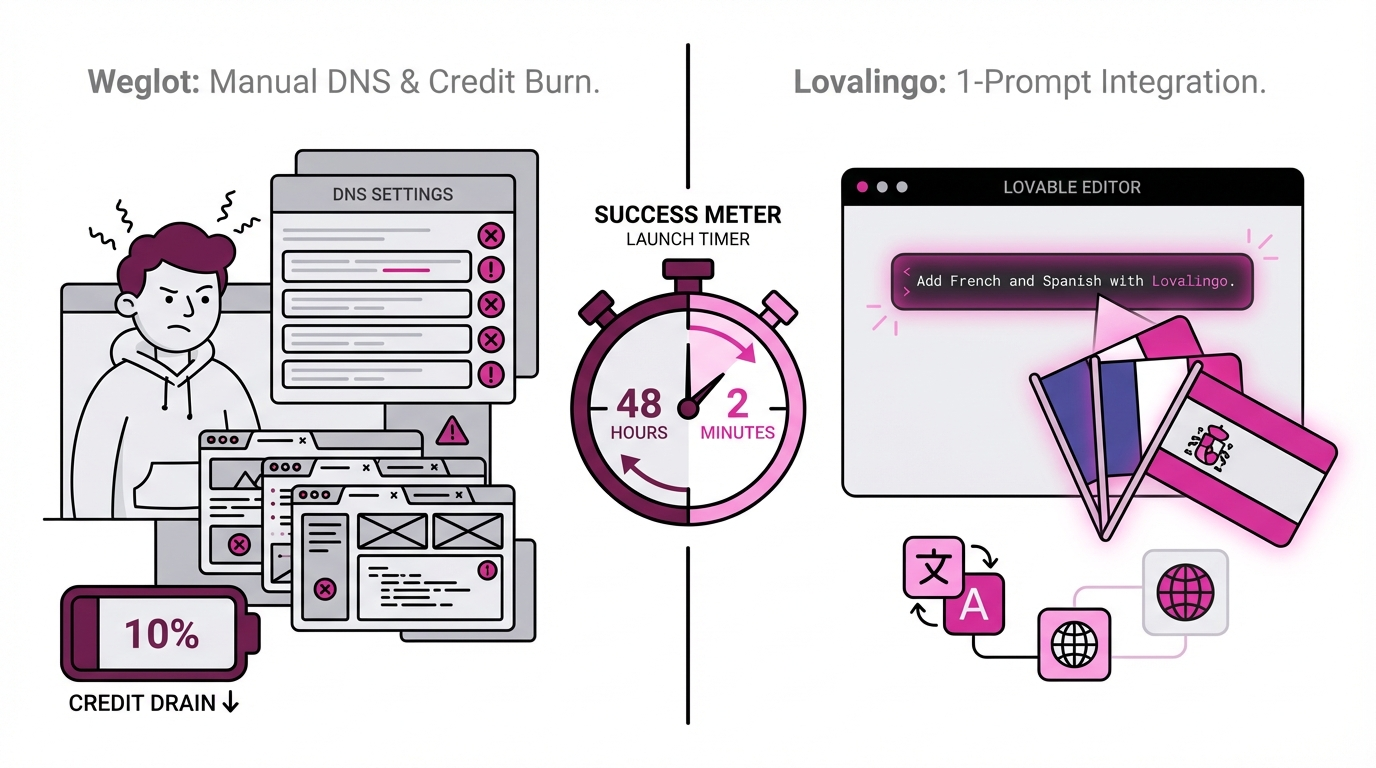
Translating your Lovable website? One tool requires DNS configuration. The other is one prompt. Both cost 1 Lovable credit.
TL;DR: Lovable Integration Reality
Weglot Setup:
6+ manual steps
DNS configuration required for SEO
Code editing OR 1 Lovable credit
25-45 minutes total
Lovalingo Setup:
1 prompt in chat
Zero DNS configuration
1 Lovable credit
minutes total
Weglot's Lovable Integration: The Hidden Complexity
Step 1-3: Standard Setup (minutes)
Create account, verify email
Choose languages
Enter domain name
Step 4: DNS Configuration (15-30 minutes)
For SEO-friendly URLs like en.yoursite.com, you must:
Log into domain registrar
Navigate to DNS management
Create CNAME record per language
Wait 2-10 minutes for propagation
Return to Weglot, click "Check DNS"
Problem: Most Lovable users have never edited DNS records.
Step 5: The Integration Choice
Option A: Use Lovable chat - costs 1 credit
Paste this prompt:
Add the Weglot JS snippet to your website's HTML header:

<script src="https://cdn.weglot.com/weglot.min.js"></script>
<script>
  Weglot.initialize({ api_key: 'wg_YOUR_KEY' });
</script>
Option B: Manual Code Mode editing (free but complex)
Click Code Mode
Find
index.htmlLocate
</head>tagInsert Weglot script
Save and deploy
Problem: Lovable users chose Lovable to avoid code editing.
Step 6: Body Selector Troubleshooting
Weglot's guide warns: "Website not entirely translated? Add body selector rule."
Translation detection often fails. Manual CSS selector configuration needed.
Lovalingo's Lovable Integration: Simpler Setup
Step 1: Create Project (2 minutes)
Go to lovalingo.com
Enter Lovable project URL
Select languages
Step 2: Copy Prompt (30 seconds)
Install @lovalingo/lovalingo and wrap your app:

npm install @lovalingo/lovalingo

import { LovalingoProvider } from '@lovalingo/lovalingo';

function App() {
  return (
    <LovalingoProvider
      publicAnonKey="aix_YOUR_KEY"
      defaultLocale="en"
      locales={["fr", "de", "es"]}
      routing="path"
    >
      <YourApp />
    </LovalingoProvider>
  );
}
Step 3: Paste in Lovable (1 minute)
Paste in Lovable chat (costs 1 credit)
Click Publish
Done. No DNS. No code editing required.
Setup Comparison Table
Step | Weglot | Lovalingo |
|---|---|---|
Setup time | 25-45 min | 5 min |
DNS config | Required for SEO | ❌ None |
Code editing option | Yes (free but complex) | ❌ Not needed |
Lovable credits | 1 credit (or Code Mode) | 1 credit |
Technical knowledge | DNS, HTML, CSS | None |
Manual troubleshooting | Often (body selector) | ❌ Rare |
Pricing | $15-79/mo | $0-29/mo |
The Key Difference: Setup Complexity
Both tools cost 1 Lovable credit for chat-based installation.
The difference? Everything else.
Weglot Requires:
DNS configuration knowledge
15-30 minute DNS setup
Body selector troubleshooting
OR complex Code Mode editing
Lovalingo Requires:
One prompt in chat
minutes total
Zero additional configuration
Why Lovalingo is Simpler
No DNS Setup:
Path-based URLs (
site.com/fr) work immediatelyNo domain registrar login needed
No CNAME records to configure
No DNS propagation waiting
Built for React:
Native NPM package architecture
Provider component (Lovable understands this)
No external scripts to inject
Zero Additional Config:
No body selectors to add
Automatic translation detection
Works immediately after deployment
Real Setup Stories
Weglot User (Developer):
"Cost 1 Lovable credit just like Lovalingo, but then spent 2 hours on DNS. Broke my build in Code Mode trying to avoid the credit. Should've just paid the credit."
Lovalingo User (Founder):
"Used my 1 Lovable credit. Five minutes later, done. No DNS headaches. Worth every penny of that credit."
Total Cost Comparison
Weglot:
1 Lovable credit (~$1-5)
OR developer time for Code Mode ($50-150/hour × 0.5-1 hour)
DNS configuration time (15-30 min)
$15-79/month subscription
Lovalingo:
1 Lovable credit (~$1-5)
$0-29/month subscription
Zero additional time
Savings: Skip DNS setup saves 30+ minutes. That's the real cost difference.
When to Choose Which
Choose Weglot if:
You specifically need subdomain URLs (
en.site.com)Already comfortable with DNS configuration
Have budget for $79/month unlimited plan
Choose Lovalingo if:
Want guided total setup
Don't want DNS complexity
Prefer path URLs (
site.com/fr)Want lower monthly cost ($0-29/month)
Value simplicity over configuration
Copy-Paste: Lovalingo Installation
Install @lovalingo/lovalingo and set up multilingual:

npm install @lovalingo/lovalingo

import { LovalingoProvider } from '@lovalingo/lovalingo';

export default function App() {
  return (
    <LovalingoProvider
      publicAnonKey="aix_YOUR_KEY"
      defaultLocale="en"
      locales={["fr", "de", "es"]}
      routing="path"
    >
      <YourApp />
    </LovalingoProvider>
  );
}
Replace aix_YOUR_KEY with your key from lovalingo.com.
Paste in Lovable chat. Click Publish. Done.
The Verdict
Both cost 1 Lovable credit for installation.
Weglot: Adds DNS complexity, selector troubleshooting, higher pricing.
Lovalingo: Just the credit. No DNS. No selectors. Lower pricing.
Try the Simpler Setup
Sign up at lovalingo.com
Copy installation prompt
Paste in Lovable chat (1 credit)
Publish
First language free. Additional from $9/month.
Start Free - Same credit cost. Zero DNS headaches.
Bottom line: Both use 1 Lovable credit. Only Lovalingo skips the DNS nightmare.