
How to Translate React Websites (With Automatic SEO in 23+ Languages)
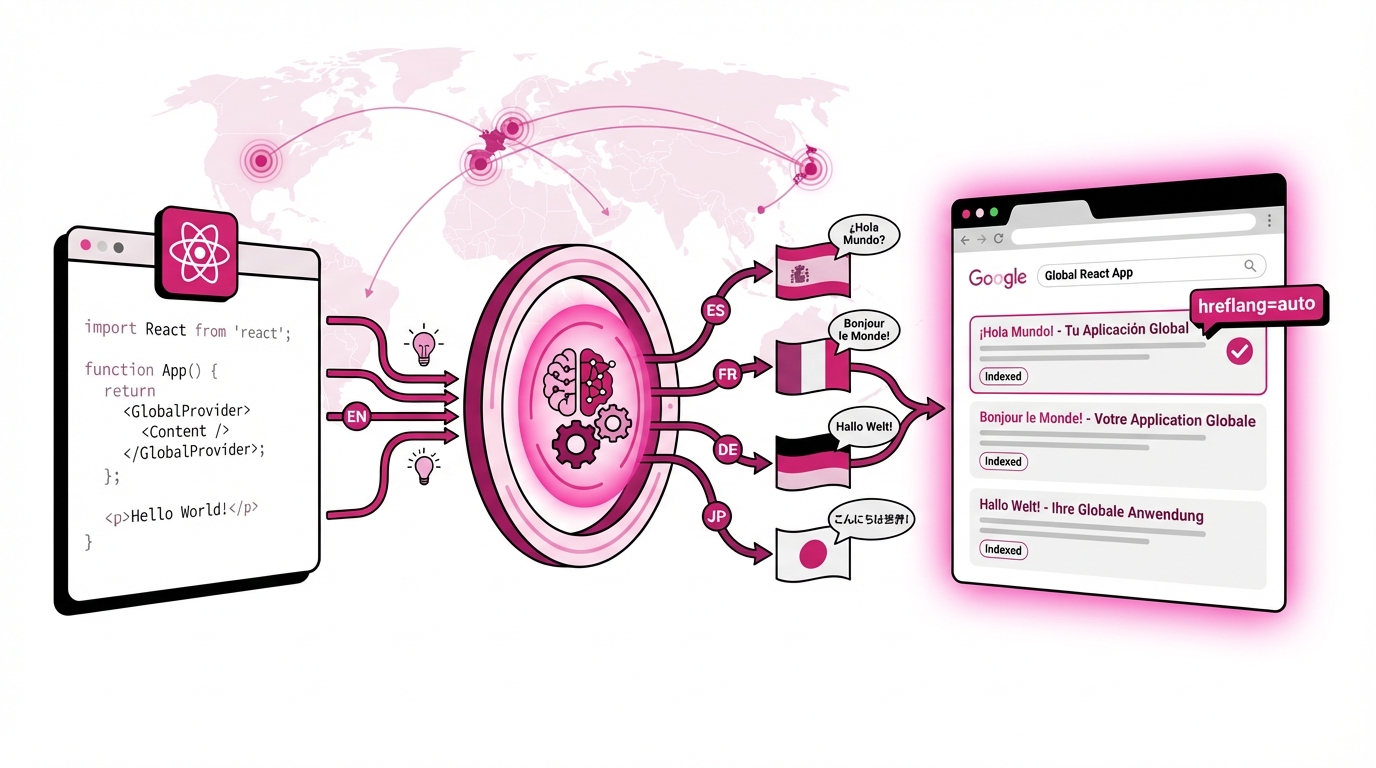
Learn how to translate your React website for international audiences and achieve automatic SEO in over 23 languages. This guide bypasses traditional i18n issues like manual hreflang and JSON file maintenance, ensuring your content ranks globally.
Reading time: 6 minutes
Built a React app and need it to rank on Google in France, Germany, Spain, and beyond? Here's how to translate your React website AND get it indexed internationally without manual hreflang setup or JSON file maintenance.
TL;DR: 3-Step React Translation + SEO
Install @lovalingo/lovalingo in your React app
Wrap your app with LovalingoProvider (one component)
Deploy - translations appear + SEO tags auto-generate
Your first language is free. Additional languages from $9/month. No JSON files. No manual SEO configuration.
The React Translation Problem Nobody Talks About
Every React developer asks: "What's the best approach for multilingual React webapp?"
The Stack Overflow answer? React-intl or Polyglot with JSON files.
The reality? That approach kills your international SEO before you even start.
Why Traditional React i18n Destroys SEO
The JSON File Nightmare
Community consensus recommends this workflow:
/locales/en.json (500+ keys)
/locales/fr.json (500+ keys)
/locales/de.json (500+ keys)
= 1,500+ manual entries to maintain
Every time you add a React component:
Extract text strings manually
Add to 3+ JSON files with matching keys
Keep pluralization rules synchronized
Handle missing translations gracefully
Test every language individually
One developer reported: "250+ different UI text translations across 5 languages" - that's 1,250 manual JSON entries.
The Client-Side Translation Death Trap
React-intl and Polyglot translate AFTER page render:
Google crawls your English content only
French pages invisible to Google.fr
German content doesn't rank in Google.de
Your
/frroutes return English to bots
Result: Zero international SEO value despite translation effort.
The Key Management Chaos
Using react-intl means:
javascript
<FormattedMessage
  id="home.welcome"
  defaultMessage="Welcome to our site"
/>
Multiply this across:
50 components
10 strings per component
5 languages = 2,500 keys to manage manually
One typo in home.welcom instead of home.welcome? Entire section breaks.
The Metadata Black Hole
React developers focus on UI translation but forget:
Title tags per language
Meta descriptions translated
Open Graph tags localized
Hreflang tag implementation
Multilingual sitemap generation
Manual hreflang setup requires:
html
<link rel="alternate" hreflang="en" href="https://site.com/en" />
<link rel="alternate" hreflang="fr" href="https://site.com/fr" />
<link rel="alternate" hreflang="de" href="https://site.com/de" />
On EVERY page. For EVERY language. Updated manually.
Most React apps ship with translations but zero SEO infrastructure.
The Solution: Automated React Translation + SEO
Here's how to translate your React website AND rank on Google internationally in under 10 minutes.
Step 1: Create Your Lovalingo Project
Go to lovalingo.com
Click Start for Free
Enter your React app URL (deployed or localhost)
Select source language (e.g., English)
Choose target languages (French, German, Spanish, Italian, etc.)
Step 2: Install the Package
In your React project:
bash
npm install @lovalingo/lovalingoStep 3: Copy the Setup Prompt
Lovalingo provides a copy-paste prompt optimized for React:
javascript
// Wrap your app with LovalingoProvider

import { LovalingoProvider } from '@lovalingo/lovalingo';

function App() {
  return (
    <LovalingoProvider
      publicAnonKey="aix_YOUR_KEY_HERE"
      defaultLocale="en"
      locales={["fr", "de", "es", "it"]}
      routing="path"
    >
      <YourApp />
    </LovalingoProvider>
  );
}

export default App;
That's the entire setup. No JSON files. No extraction scripts. No key management.
Step 4: Deploy and Verify
Deploy your React app (Vercel, Netlify, AWS, anywhere)
Wait 2 minutes for deployment
Visit your live site
See language switcher appear automatically
Click French - URL becomes
/fr, content translatesAll React components translated automatically
Done. Your React website is multilingual.
What Happens Automatically
Once installed, Lovalingo:
Detects All React Components
Scans every route in your app
Finds buttons, labels, headings, paragraphs
Extracts form placeholders, validation messages
Captures modal content, tooltips, error states
Handles conditional rendering translations
Translates Context-Aware
AI translates maintaining tone (technical vs casual)
Preserves React component structure
Handles JSX interpolations correctly
Manages pluralization rules per language
Processes 100+ components in 24 hours
Updates on Component Changes
Add new React component? Translated automatically
Change button text? Updates across languages
Refactor component? Translations preserved
A/B test new copy? Both versions translated
Zero JSON Management
No locale files to create or maintain
No string extraction workflow
No key synchronization across files
No manual pluralization rules
No developer overhead after setup
SEO Infrastructure Auto-Generated
Hreflang tags injected automatically
Metadata translated (title, description, OG tags)
Sitemap includes all language variants
Clean URLs:
/fr/about,/de/about,/es/aboutCanonical tags per language version
Technical SEO for React Websites
Making your React app rank internationally requires proper SEO setup beyond translation.
Enable Automatic SEO Features
After basic installation:
Go to Lovalingo dashboard
Navigate to SEO tab
Toggle "Enable Lovalingo SEO signals" ON
Copy the SEO setup prompt
Run it in your React project
Deploy again
This automatically adds:
Hreflang Tags
html
<link rel="alternate" hreflang="en" href="https://yoursite.com/en" />
<link rel="alternate" hreflang="fr" href="https://yoursite.com/fr" />
<link rel="alternate" hreflang="de" href="https://yoursite.com/de" />
<link rel="alternate" hreflang="es" href="https://yoursite.com/es" />
Translated Metadata Per Page
<title>tags in each languageMeta descriptions translated
Open Graph tags localized (og:title, og:description)
Twitter cards per locale
Canonical tags pointing to correct version
Automatic Multilingual Sitemap
Available at
/sitemap.xmlIncludes all routes × all languages
Updates when you add React routes
Ready for Google Search Console submission
No manual XML file editing ever
Submit to Google for International Indexing
Go to Google Search Console
Add your domain
Click Sitemaps (left sidebar)
Enter:
sitemap.xmlClick Submit
Google will:
Index your French pages on Google.fr
Index your German pages on Google.de
Index your Spanish pages on Google.es
Show correct language to users by location
Typically indexed within 48 hours.
React Translation: Lovalingo vs Alternatives
Feature | Lovalingo | React-intl | Polyglot | Tolgee | Localize |
|---|---|---|---|---|---|
Setup Time | 10 minutes | 2-4 hours | 2-4 hours | 1-2 hours | 30+ minutes |
JSON files needed | ❌ None | ✅ Per language | ✅ Per language | ✅ Per language | ❌ None |
Auto-detects new components | ✅ Instant | ❌ Manual | ❌ Manual | ⚠️ Screenshot-based | ⚠️ Auto-detect |
React compatibility | ✅ All versions | ✅ | ✅ | ✅ | ✅ |
Key management | ❌ Not needed | ✅ Manual | ✅ Manual | ✅ Manual | ❌ Not needed |
SEO-ready (hreflang) | ✅ Automatic | ❌ Manual setup | ❌ Manual setup | ❌ Manual setup | ⚠️ Requires config |
Sitemap generation | ✅ Automatic | ❌ Manual | ❌ Manual | ❌ Manual | ⚠️ Additional setup |
Metadata translation | ✅ Automatic | ❌ Manual | ❌ Manual | ❌ Manual | ⚠️ Manual |
Bundle size impact | ~12kb | ~45kb | ~5kb | ~50kb | ~30kb |
Pricing | $0-29/mo | Free (time cost) | Free (time cost) | Free-$99/mo | $79-299/mo |
Unlimited words | ✅ Fair use | ✅ | ✅ | ⚠️ Limits on free | ❌ Word limits |
Why Lovalingo for React:
No JSON file maintenance (biggest pain point eliminated)
Automatic SEO infrastructure (hreflang + sitemap + metadata)
One-component setup (vs dozens of FormattedMessage wrappers)
Context-aware translation (understands React component hierarchy)
Zero impact on development velocity
Production-grade bundle size optimization
Common React Translation Scenarios
Scenario 1: E-commerce Product Catalog
React SPA with 500+ product components.
Without Lovalingo:
Extract 2,000+ product strings
Create
/locales/en.jsonwith all keysDuplicate to 3+ language files
Wrap every product field with
<FormattedMessage>Maintain key consistency manually
No SEO value (client-side translation)
With Lovalingo:
Install once
Products translate automatically
New products detected instantly
SEO URLs:
/fr/products/blue-shirtProduct metadata translated
Ranks on Google.fr for "chemise bleue"
Scenario 2: SaaS Dashboard with Forms
Complex React app with 50+ form components.
Challenge:
30 fields per form
Validation messages per field
Success/error states
Conditional helper text
Tooltips on hover
Solution:
Lovalingo scans all form states
Translates labels, placeholders, validation
Handles conditional rendering
Captures error/success messages
Works with React Hook Form, Formik, etc.
Scenario 3: Marketing Site + Blog
React-based marketing site with blog.
SEO Requirements:
Blog posts need separate URLs per language
Each post needs translated metadata
Sitemap must include all locales
Hreflang across all pages
Automatic with Lovalingo:
/en/blog/react-seo-guide/fr/blog/react-seo-guide(same slug, translated content)/de/blog/react-seo-guideAll metadata translated
Sitemap auto-generated
Hreflang tags on every page
Copy-Paste Installation for React
Use this exact code in your React app:
javascript
// Install package
npm install @lovalingo/lovalingo

// In your main App.js or App.tsx
import { LovalingoProvider } from '@lovalingo/lovalingo';

function App() {
  return (
    <LovalingoProvider
      publicAnonKey="aix_YOUR_KEY_HERE"
      defaultLocale="en"
      locales={["fr", "de", "es", "it", "pt", "nl"]}
      routing="path"
    >
      <Router>
        <YourApp />
      </Router>
    </LovalingoProvider>
  );
}

export default App;
Replace aix_YOUR_KEY_HERE with your actual key from Lovalingo dashboard.
That's it. One component wrapper. No other changes needed.
Maintaining Your Multilingual React App
When You Add New Components
You build:
New pricing page component
Testimonial carousel component
FAQ accordion component
What happens:
Deploy to production
Lovalingo detects new components
Translates within 1-2 hours
Updates all language versions
SEO tags generated automatically
You do: Nothing. Continue building React components normally.
Fixing Translation Quality
Some translations need refinement:
Go to Translations tab in dashboard
Search for component text
Click to edit translation
Save custom version
Live on site in minutes
Using Glossary for Brand Terms
Technical terms shouldn't translate:
Go to Glossary tab
Add: "React" → "React" (keep same)
Add: "API endpoint" → "API endpoint"
Add: "YourBrand" → "YourBrand"
Applies everywhere automatically
Pricing for React Projects
Starter (Free)
1 target language
Unlimited words (fair use)
Basic translation
"Localized by Lovalingo" badge
Perfect for testing
Start-up ($9/month)
Up to 3 languages
Remove badge
SEO features (hreflang + sitemap)
Metadata translation
Email support
Best for production launches
Global ($29/month)
Unlimited languages
Priority support
Glossary + exclusions
Advanced controls
Best for scaling React apps
All plans: Per project, unlimited words, no hidden fees.
Start Ranking Your React Site Internationally
Your React app deserves global reach. Here's your action plan:
10-Minute Setup:
Sign up at lovalingo.com
Create project with your React app URL
Install
@lovalingo/lovalingopackageWrap app with LovalingoProvider
Deploy to production
First 24 Hours:
Translations complete automatically
Language switcher appears
URLs become
/fr,/de,/esSEO tags generated
Content visible in all languages
Week 1:
Enable SEO features (second prompt)
Submit sitemap to Google Search Console
Review translation quality
Add brand terms to glossary
Monitor international traffic
Month 1:
Google indexes French pages
Traffic from Google.fr begins
German pages rank on Google.de
Spanish content visible on Google.es
International revenue starts
The best React websites reach global audiences. Make yours multilingual with automatic SEO in 10 minutes.
Start Free Now - First language free, additional from $9/month.