
How to Translate Lovable Websites in minutes (And Actually Rank in Google)
Discover how to translate Lovable websites quickly and effectively for global reach. Learn why traditional translation tools fail for modern web apps and how a build-time approach can boost your SEO rankings. See real results from a new translation method.
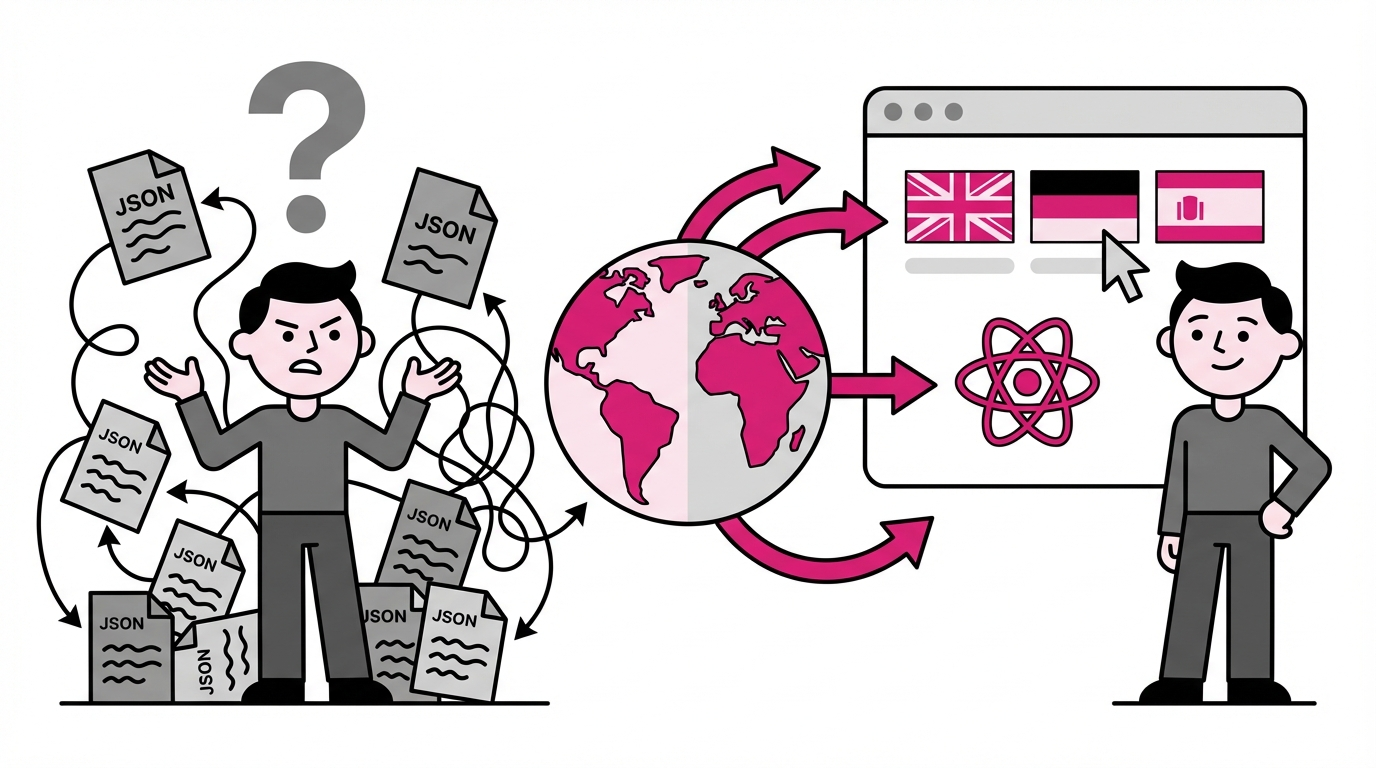
You shipped your Lovable app. It looks great, works smoothly, and you're ready to grow. Then someone asks: "Is this available in Spanish?"
That's when most founders hit a wall.
Traditional translation tools like i18next require maintaining separate JSON files for every language. Add a button? Update five files. Change a headline? Update five files again. Ask your AI assistant to handle it, and it often stops halfway through, leaving you with broken translations scattered across your app.
There's a faster way. One built specifically for how vibe coding actually works.
The Problem With Generic Translation Tools
Weglot, Localize, and similar services weren't designed for React apps built with AI. They inject JavaScript at runtime, which creates two problems you'll notice immediately.
First, the flash. Your page loads in English, then visibly switches to German half a second later. Users see it. It feels broken. For apps where first impressions matter, that flicker kills trust before you've said a word.
Second, the SEO gap. Search engines crawl your original HTML before JavaScript runs. If your translations only exist after JavaScript executes, Google indexes your English content and ignores everything else. Your German pages might as well not exist.
Lovalingo takes a different approach. Instead of runtime injection, it generates translations at build time. The German version of your page exists as actual HTML when it loads. No flash. No waiting for JavaScript. And search engines see exactly what your users see.
Real Results: From Zero to 2,180 Impressions in 6 Weeks
Here's what happened after setting up Lovalingo on lovalingo.com itself:
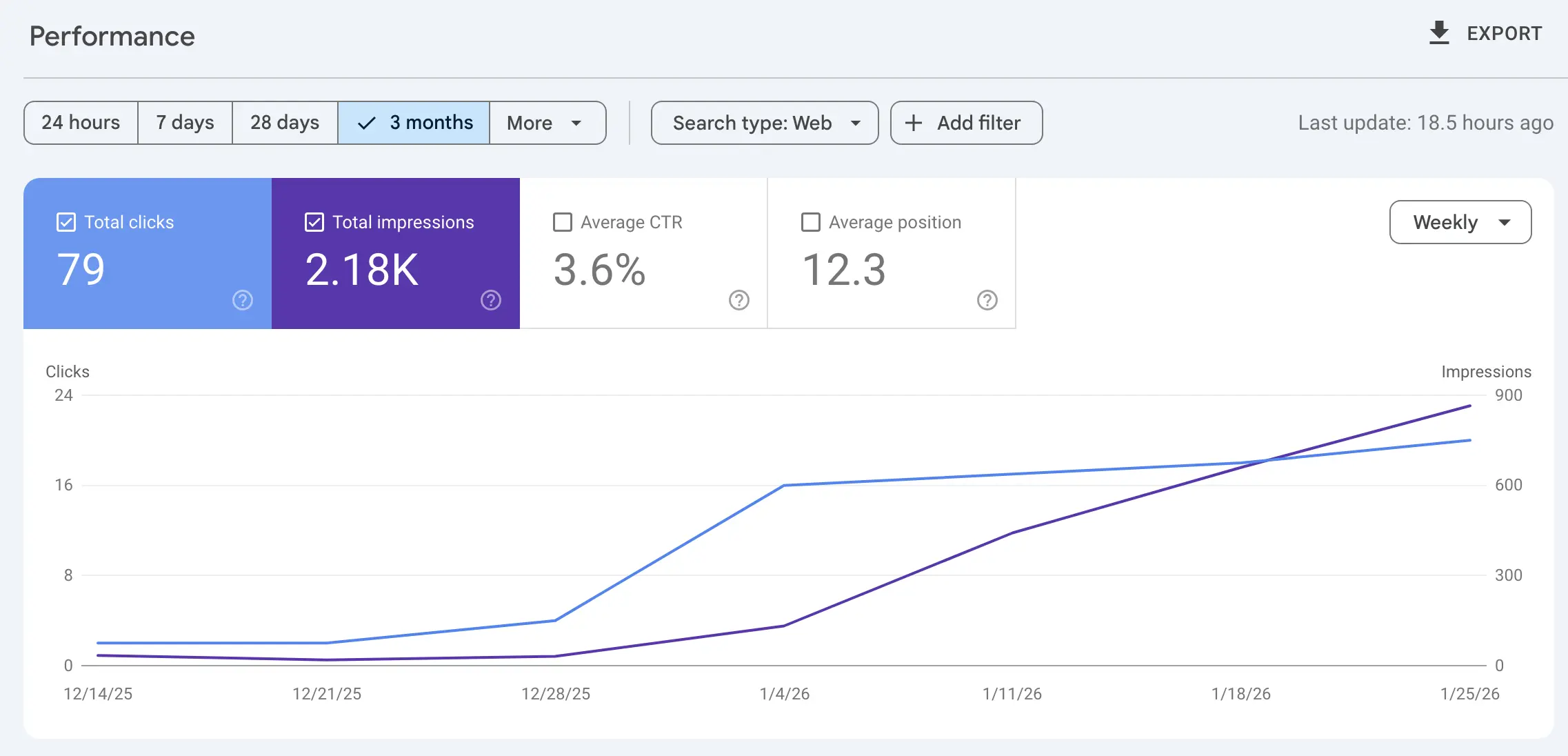
79 clicks from organic search
2,180 impressions across multilingual pages
Position 12.3 average - and climbing
Timeline: Mid-December 2025 to late January 2026
The curve tells the story. Flat line for the first two weeks while Google discovered the new language pages. Then steady growth as translated content started ranking in local markets.
This isn't a client with a marketing team. It's a SaaS landing page with multilingual SEO configured in under 10 minutes.
The guided setup (Video Walkthrough)
I recorded the complete process so you can follow along step by step:
The video covers two parts:
Part I: Creating your account, configuring your domain, and running the installation prompt in Lovable
Part II: Enabling multilingual SEO, adding the prebuild script, and submitting your sitemap to Google Search Console
Below I'll break down each step with the details you need.
Part I: Installing Lovalingo on Your Lovable App
You'll need three things open: your Lovable project, the Lovalingo dashboard, and about five minutes.
Step 1: Start for Free
Go to lovalingo.com and create your account. The free tier includes one target language forever - enough to test whether multilingual makes sense for your app before paying anything.
Step 2: Add Your Domain
Paste your Lovable website URL. This works with custom domains or the default lovable.app subdomain. Press continue.
Step 3: Choose Your Languages
Select your source language (what your app is written in now) and your target language (what you want to add). English to German, English to Spanish, French to English - any combination works.
Step 4: Copy the Prompt Into Lovable
Lovalingo generates a custom installation prompt. Select "Lovable" as your vibe coding tool, copy the entire prompt, and paste it into your Lovable chat.
Run it. Lovable installs the package, wraps your app with the provider, and sets up language detection automatically.
Step 5: Publish and Verify
Publish your changes in Lovable. Wait about a minute for deployment. Return to the Lovalingo dashboard and click verify.
Your app now serves translated content with zero flash. But we're only halfway done - the SEO setup determines whether Google actually finds your translated pages.
Part II: Multilingual SEO That Google Actually Indexes
This is where Lovalingo differs from every other translation tool. The SEO configuration happens at build time, not runtime. That means search engines see your hreflang tags and translated content in the initial HTML response.
Step 1: Enable SEO Signals
In your Lovalingo dashboard, find the SEO section and turn on "Enable Lovalingo SEO signals." This activates automatic hreflang tag generation and multilingual sitemap creation.
Step 2: Copy the Prebuild Script
Lovalingo gives you a prebuild script that looks like this:
"prebuild": "npx lovalingo-seo generate"
This script runs before every deployment, generating fresh SEO assets for all your language versions.
Step 3: Add It to package.json
In Lovable, open the code editor and find package.json. Look for the "scripts" section around line 6. Paste the prebuild script and add a comma after it.
Save the file. Now your hreflang tags and sitemap regenerate automatically every time you deploy.
Step 4: Publish and Update
Publish the package.json changes through Lovable. Your SEO configuration is now live.
Step 5: Submit Your Sitemap to Google
Copy your sitemap URL from the Lovalingo dashboard. Open Google Search Console and add your property:
Custom domain? Add as Domain property
Lovable subdomain? Add as URL prefix property
Paste your sitemap URL and submit. Google starts crawling your translated pages within 24-48 hours.
What to Expect After Setup
Day 1: Language switcher appears on your site. Users can toggle languages, and URLs update to reflect the selection.
Days 2-3: Google discovers your new language URLs. You'll see them appear in Search Console under "Pages."
Weeks 1-2: Translated pages start getting impressions in local search results. German users searching relevant terms see your /de/ pages.
Week 3+: Traffic curve starts climbing as Google gains confidence in your translated content. This is what the screenshot above shows - that inflection point where impressions accelerate.
Ongoing: Add new features in Lovable, and Lovalingo detects and translates them automatically. No JSON files to update. No manual maintenance.
Why This Matters for Vibe Coding
Tools like Lovable, Bolt, and v0 changed how fast you can ship. But traditional i18n workflows weren't built for that speed. They assume you have time to manage translation keys, review JSON diffs, and coordinate with localization teams.
Lovalingo was built specifically for the vibe coding workflow. One prompt installs it. Build-time generation eliminates flash. Automatic detection means new content gets translated without you thinking about it.
The 76% of consumers who prefer buying in their native language don't care how your app was built. They care whether they can understand it. Now you can reach them without slowing down.
Frequently Asked Questions
Does this work with Bolt, v0, and other tools?
Yes. Lovalingo supports any React or Next.js app. The installation prompt adjusts based on which platform you select. The process is nearly identical for Bolt, v0, Base44, and Claude Code projects.
What's the difference between free and paid plans?
Free includes one target language forever with a small "Localized by Lovalingo" badge. The $9/month plan adds up to three languages and removes the badge. The $29/month plan includes unlimited languages, custom glossaries, and exclusion rules.
Will my translated pages actually rank?
Pages with proper hreflang tags and dedicated URLs get indexed independently. Your German page competes for German search rankings separately from your English page. The GSC screenshot above shows this working in practice.
How long until I see traffic?
Google typically needs 2-3 weeks to index and start ranking new language pages. The growth curve accelerates after that initial discovery period.
Reaching international customers used to require agencies, budgets, and months of work. Now it takes five minutes and a single prompt.
Your Lovable app is already built. The only question is how many people can understand it.