
Translate a Lovable website free with i18n
Learn how to translate your Lovable website in just minutes without breaking your SEO. This guide offers a simple, code-free solution to go multilingual, avoiding complex JSON files and traditional i18n headaches. Discover the fastest path to an SEO-optimized, translated site.
→Looking for the full Lovable i18n hub? Read the canonical guide.Direct answer
Free tier available for one target language.
You can translate a Lovable website for free by adding Lovalingo to the generated app and choosing one target language on the Starter plan. New Lovable projects use the TanStack Start setup path; legacy React projects use the provider path. Both support automatic translation, language paths, and no manual JSON files.
- 1.Open the Lovable project and install the Lovalingo package.
- 2.Apply the setup path for the detected stack and define the target languages.
- 3.Publish the translated routes and check canonical and hreflang metadata.
Fact-checked sources
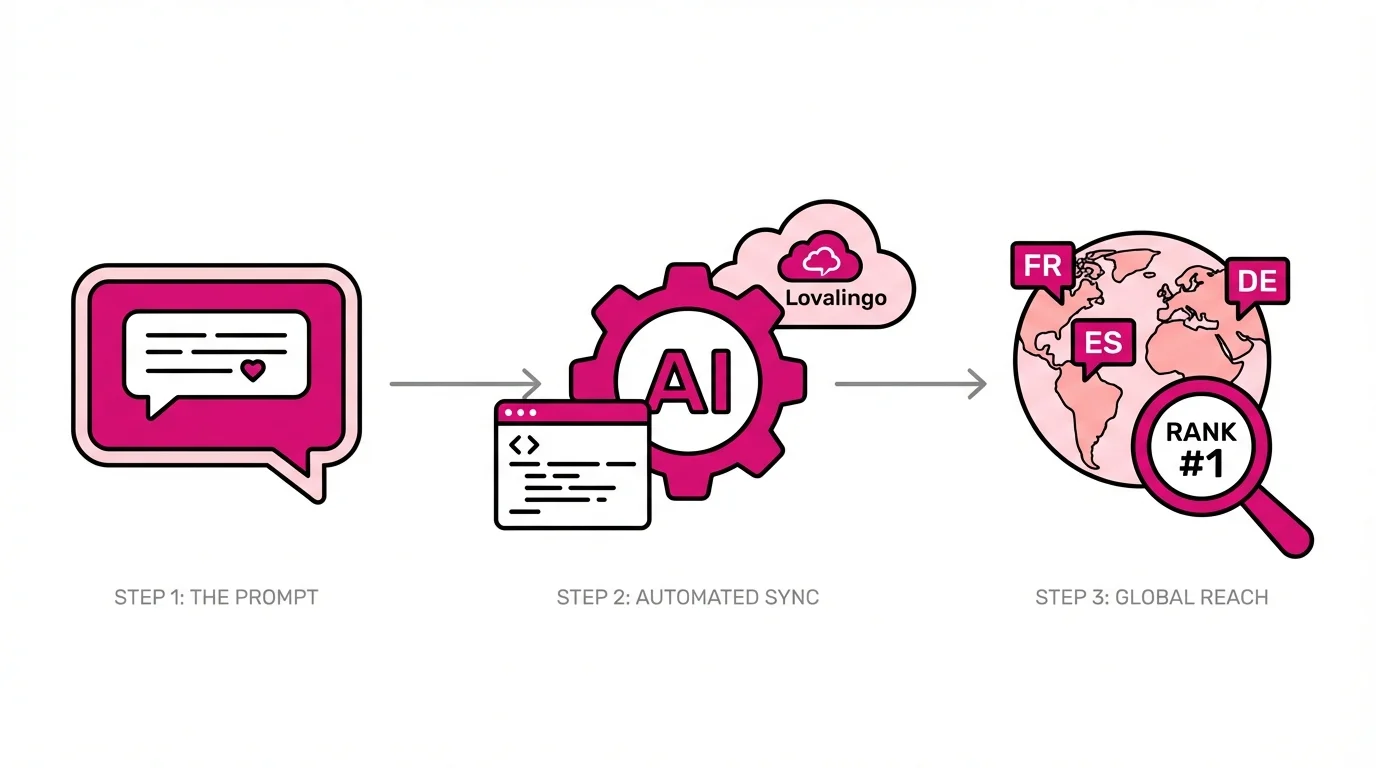
You just shipped a gorgeous app with Lovable. The UI is pixel-perfect. The animations are smooth. Your landing page converts.
Then someone in your Discord asks: "Is there a French version?"
This is the moment every Lovable builder faces. You need to translate your Lovable website, but the traditional path looks like a minefield of JSON files, broken SEO, and endless maintenance.
And suddenly you're staring down the barrel of react-i18next documentation, JSON locale files, and the existential dread of maintaining translation keys across 47 components.
I've been building multilingual sites since 2004. I've watched companies burn six-figure budgets on translation management systems that required dedicated engineers. I've debugged hreflang implementations that made Google's crawlers weep.
Here's what I wish someone had told me when I started: translating a Lovable website does not require you to become an i18n expert.
This guide shows you exactly how to translate your Lovable website - the right way - without touching a single JSON file.
TL;DR: The 60-Second Version
If you want to translate your Lovable website today, here's the fastest path to Lovable multilingual support:
Go to lovalingo.com and paste your Lovable URL
Select your source language and target languages
Copy the installation prompt
Paste it into Lovable and hit run
Publish your site
Your translated site goes live in under five minutes. SEO-optimized. Zero flash of untranslated content. Full code ownership.
Want the full breakdown? Keep reading.
The Problem: Why Manual i18n Fails When You Translate Lovable Websites
Let me paint you a picture I see every week.
A founder builds something beautiful with Lovable. They're shipping fast, iterating on user feedback, moving at the speed only AI-assisted development allows. Then they decide to go multilingual.
The traditional advice? "Just use react-i18next."
So they ask their vibe coding tool to set up i18n. What follows is a cascade of complexity that kills momentum:
The JSON Hell Begins
First, you need locale files. One for English. One for French. One for German. Each file contains every translatable string in your app, mapped to a unique key:
json
{
  "hero.title": "Build faster with AI",
  "hero.subtitle": "Ship production apps in minutes",
  "cta.primary": "Get Started Free",
  "cta.secondary": "Watch Demo"
}
Now multiply that by every language. Multiply again by every page. Your /locales folder balloons into a sprawling mess that no one wants to maintain.
The Synchronization Nightmare
You update your hero text in English. Did you remember to update the French file? The German file? The Spanish file?
In a traditional codebase, maybe you have processes for this. But Lovable apps evolve through conversation. You tell the AI to "make the CTA more urgent" and suddenly your translation keys are orphaned - pointing to strings that no longer exist.
The Flash of Untranslated Content
Here's where most solutions completely fail.
Tools like Weglot and Localize inject JavaScript that translates your page after it loads. For a fraction of a second - sometimes longer - your French visitors see English text before it flickers into their language.
This isn't just a UX problem. It's a Core Web Vitals problem. Google measures Cumulative Layout Shift (CLS), and runtime translation causes exactly the kind of visual instability that tanks your rankings.
The Metadata Black Hole
When you translate a Lovable website manually, you're responsible for:
Translating
<title>tags for each languageTranslating meta descriptions
Setting correct
hreflangattributesGenerating language-specific sitemaps
Updating Open Graph tags for social sharing
Miss any of these, and Google either ignores your translated pages or, worse, penalizes you for duplicate content.
The traditional path to translate your Lovable website requires you to become an expert in i18n architecture, SEO internationalization, and build tooling. That's weeks of learning for a founder who should be talking to customers.
This is why most attempts to add Lovable i18n support fail. The complexity isn't in translation, it's in everything around translation.
The Solution: Translate Your Lovable Website With One Prompt
Lovalingo exists because I got tired of watching builders waste time on translation infrastructure.
The core insight: when you translate a Lovable website, you're working with React apps that follow predictable patterns. Those patterns can be detected, extracted, and translated automatically, without requiring you to restructure your code.
Here's exactly how to translate your Lovable website with Lovalingo:
Step 1: Create Your Lovalingo Project
Go to lovalingo.com and click Start for Free.
Paste your Lovable project URL. This is your live, published site.
Select your source language (probably English) and your target languages. Your first target language is free. Additional languages are available on paid plans.
Step 2: Copy the Installation Prompt
Lovalingo generates a custom prompt tailored to your vibe coding tool. It looks something like this:
📋 COPY THIS PROMPT INTO LOVABLE:

Install Lovalingo translation support for my website.

1. Add the Lovalingo provider to the root of my app
2. Create the /.well-known/lovalingo.json manifest file in /public
3. Configure the language switcher component
4. Ensure all text content is detectable

My Lovalingo project key is: [YOUR_KEY WHICH WILL BE ADDED AUTOMATICALLY]
Target languages: French, German, Spanish
Step 3: Run the Prompt in Lovable
Open your Lovable project. Paste the prompt into the chat. Let the AI work.
Lovable will modify your codebase to:
Wrap your app in the
<LovalingoProvider>componentCreate the verification manifest at
/.well-known/lovalingo.jsonAdd a language switcher (customizable position and style)
Prepare your text content for translation detection
Step 4: Publish and Verify
Click Update or Publish in Lovable.
Wait about 60 seconds for deployment to complete.
Return to Lovalingo and click Verify.
If verification succeeds, your translations begin processing immediately. Most sites reach 95%+ coverage within an hour (it can take up to 24 hours).
Step 5: Enable SEO Signals
This step is optional but critical if you want Google to index your translated pages.
Copy the SEO prompt from your Lovalingo dashboard. Run it in Lovable. Then add the prebuild script to your package.json (line 7):
"prebuild": "node scripts/fetch-lovalingo-sitemap.mjs",Publish again. Toggle SEO Signals on in your Lovalingo dashboard.
Submit your sitemap URL to Google Search Console. Within 24-48 hours, your translated pages start appearing in search results.
Technical SEO: Sitemaps, Hreflang, and What Google Actually Wants
Let me be direct: most translation tools handle SEO as an afterthought. When you translate your Lovable website with Lovalingo, SEO is a first-class feature because untranslated pages that Google can't find are worthless.
Automatic Hreflang Generation
When you translate your Lovable website with Lovalingo, every page automatically includes proper hreflang annotations:
html
<link rel="alternate" hreflang="en" href="https://yoursite.com/" />
<link rel="alternate" hreflang="fr" href="https://yoursite.com/fr/" />
<link rel="alternate" hreflang="de" href="https://yoursite.com/de/" />
<link rel="alternate" hreflang="x-default" href="https://yoursite.com/" />
This tells Google exactly which page to show users based on their language preference. No manual configuration. No XML sitemap editing.
Dynamic Sitemap Generation
The prebuild script generates a sitemap that includes all language variants:
xml
<url>
  <loc>https://yoursite.com/pricing</loc>
  <xhtml:link rel="alternate" hreflang="en" href="https://yoursite.com/pricing"/>
  <xhtml:link rel="alternate" hreflang="fr" href="https://yoursite.com/fr/pricing"/>
  <xhtml:link rel="alternate" hreflang="de" href="https://yoursite.com/de/pricing"/>
</url>
Submit this to Google Search Console once. Every deployment regenerates it automatically.
Translated Metadata
Page titles, meta descriptions, and Open Graph tags are translated alongside your content. When someone shares your French page on LinkedIn, the preview shows French text, not English with a confusing disconnect.
Comparison: How to Translate Lovable Website - Lovalingo vs. The Alternatives
When you decide to translate your Lovable website, you have four realistic options. Here's how they stack up:
FeatureLovalingoWeglotLocalizeManual i18nextSetup Timeminutes10 minutes15 minutes2-5 hoursFlash of Untranslated ContentNone (zero-flash)Yes (runtime JS)Yes (runtime JS)Depends on implementationCode OwnershipFull (your repo)External serviceExternal serviceFull (but you maintain it)Automatic hreflangYesYesNoManual setup requiredSitemap GenerationAutomaticAutomaticManualManualReact Component DetectionAutomaticLimitedLimitedManual extractionVibe Coding OptimizedBuilt for itGenericGenericNot applicableOngoing CostFree tier available$15+/mo$25+/moYour engineering time
The critical difference: Weglot and Localize are translation services that sit between your users and your site. Lovalingo generates native i18n code that lives in your repository.
When you translate your Lovable website with Lovalingo, you own the output. Push to GitHub. Fork it. Modify it. No vendor lock-in.
What Happens After You Translate Your Lovable Website
Your site is live in multiple languages. Google is indexing your translated pages. International visitors are converting.
But translation is not a one-time task. Here's what to expect:
Content Updates: When you modify your Lovable app, Lovalingo detects changes and queues new translations automatically. No manual re-sync required.
Custom Terminology: Use the Glossary feature (Global plan) to ensure brand names, product terms, and technical vocabulary translate consistently - or not at all.
Performance Monitoring: Watch your coverage metrics in the dashboard. Healthy sites maintain 95%+ coverage. If you drop below that, the Reset & Re-run feature clears cached translations and re-processes everything.
The guided Challenge
Here's my challenge to you:
Open your Lovable project right now. Go to lovalingo.com. Follow the steps above to translate your Lovable website.
In five minutes, you'll have a multilingual Lovable site that would have taken your competitors weeks to build manually.
That's not marketing hyperbole. That's the reality of what happens when tooling catches up to the speed of vibe coding.
Your French customers are waiting. Your German prospects are searching. Your Spanish-speaking market is ready.
Stop maintaining JSON files. Start shipping to the world.
Frequently asked questions
Is there a free tool to translate a Lovable website?
Yes. Lovalingo has a free Starter plan for one target language, which makes it a practical way to translate a Lovable website before upgrading for more languages and SEO features.
Can I translate a Lovable website without breaking SEO?
Yes. Use locale-prefixed URLs, canonical tags, and hreflang. Lovalingo is designed to support that SEO setup for Lovable TanStack Start and legacy React websites.