
Base44 language support: translate React apps
Base44 lacks native multi-language support, a critical issue for 461+ users. This guide explores the challenges of localization in Base44 apps, from untranslatable authentication pages to missing i18n infrastructure. Discover how to overcome these limitations and build truly global Base44 applications.
Direct answer
Base44 apps use standard React patterns.
Base44 apps use standard React patterns, so normal app i18n setup applies. Lovalingo can translate a Base44 app automatically, add SEO-friendly locale paths, and avoid manual JSON translation files while the generated React app stays editable.
- 1.Install Lovalingo in the generated app.
- 2.Set the default locale and target languages for the project.
- 3.Use locale-prefixed URLs and hreflang so search engines can discover each language version.
Fact-checked sources
Base44 has become one of the most popular platforms for vibe coding (building full-stack apps through natural language prompts). But there's a significant gap that 461+ users have identified on the official feedback portal: native multi-language support doesn't exist.
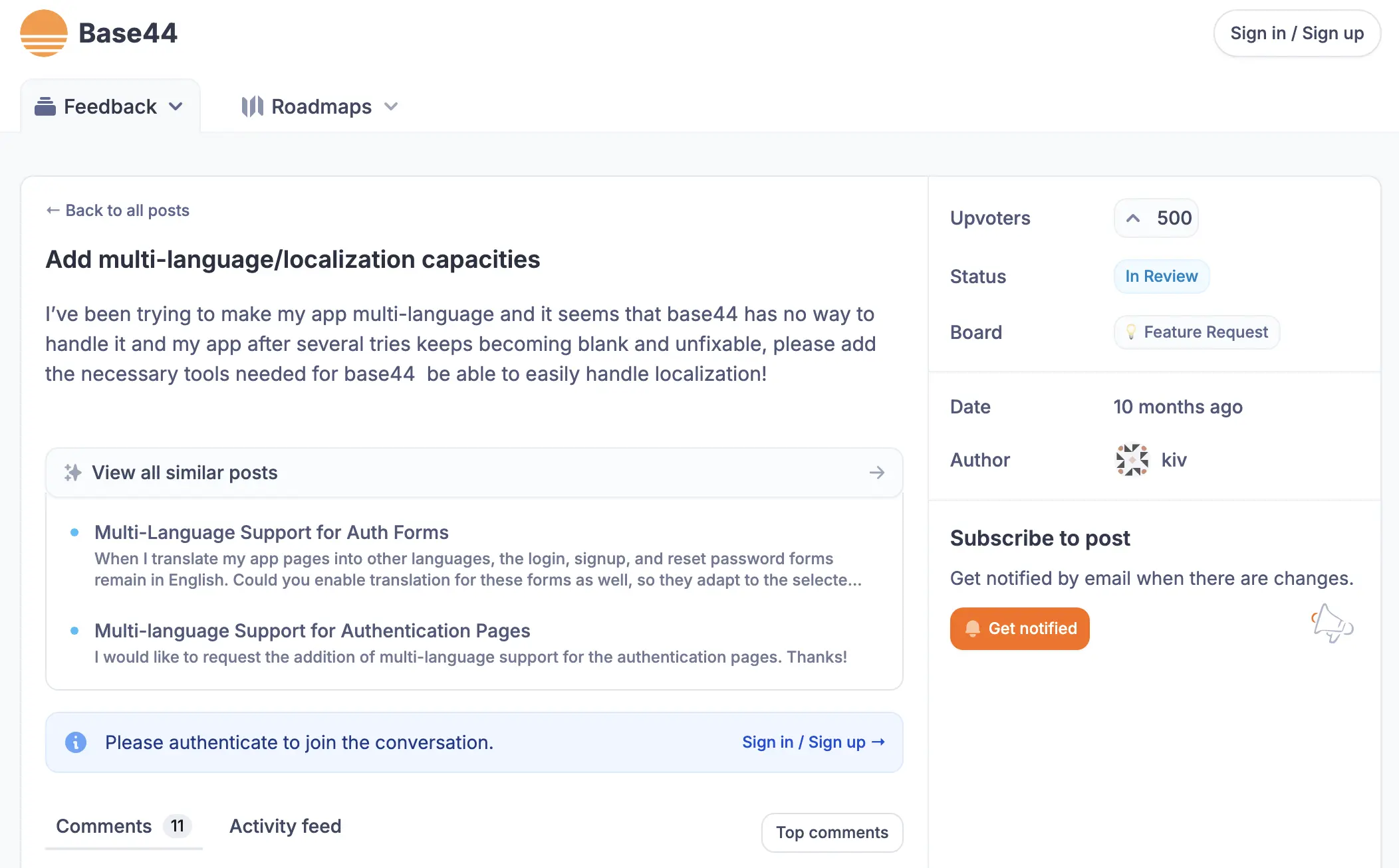
When users try to add localization to their Base44 apps, they encounter a frustrating reality. As one user reported: "I've been trying to make my app multi-language and it seems that base44 has no way to handle it and my app after several tries keeps becoming blank and unfixable."
This isn't an edge case. The localization feature request has accumulated hundreds of upvotes, making it one of the most requested features on the platform. This guide explains the problem, evaluates current solutions, and shows how Lovalingo solves what widget-based tools cannot.
Why Base44 Apps Need Better Localization Options
The challenges Base44 users face fall into several categories:
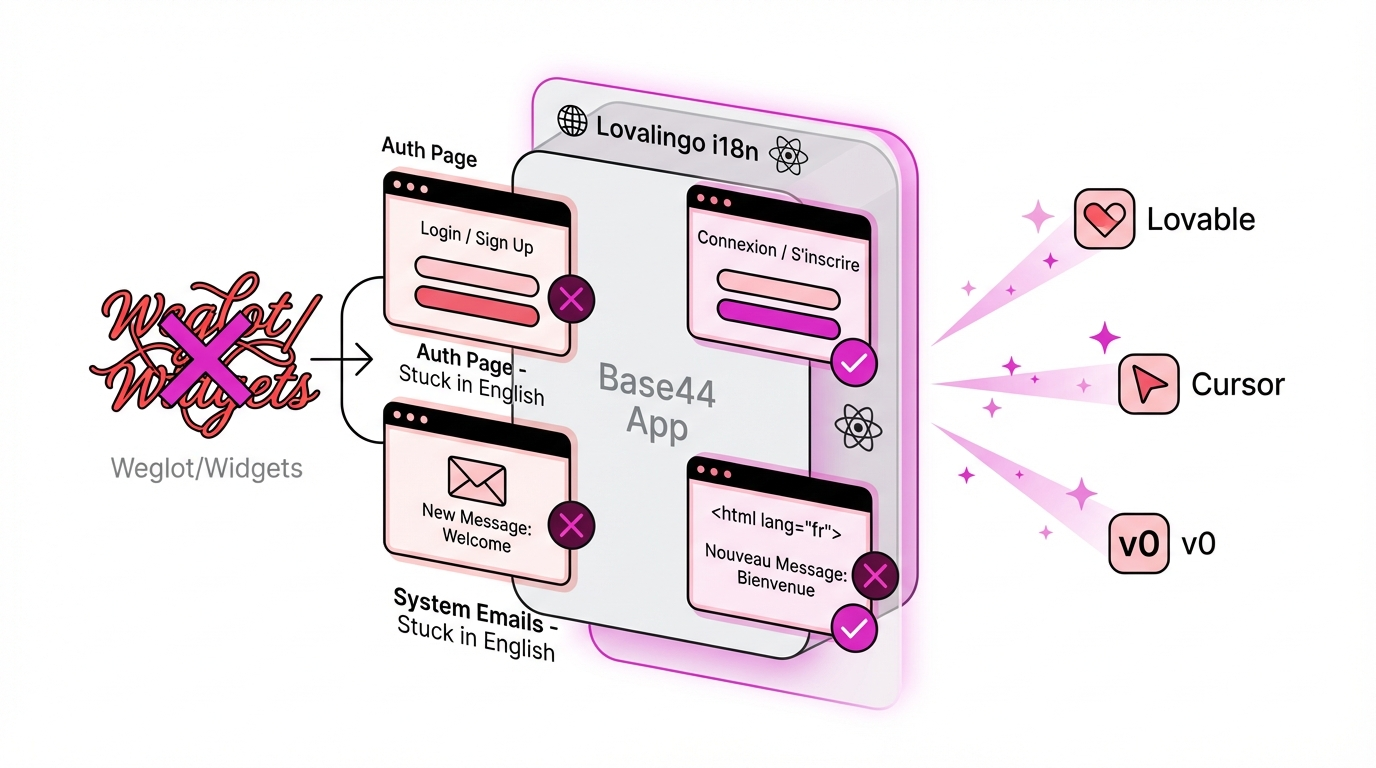
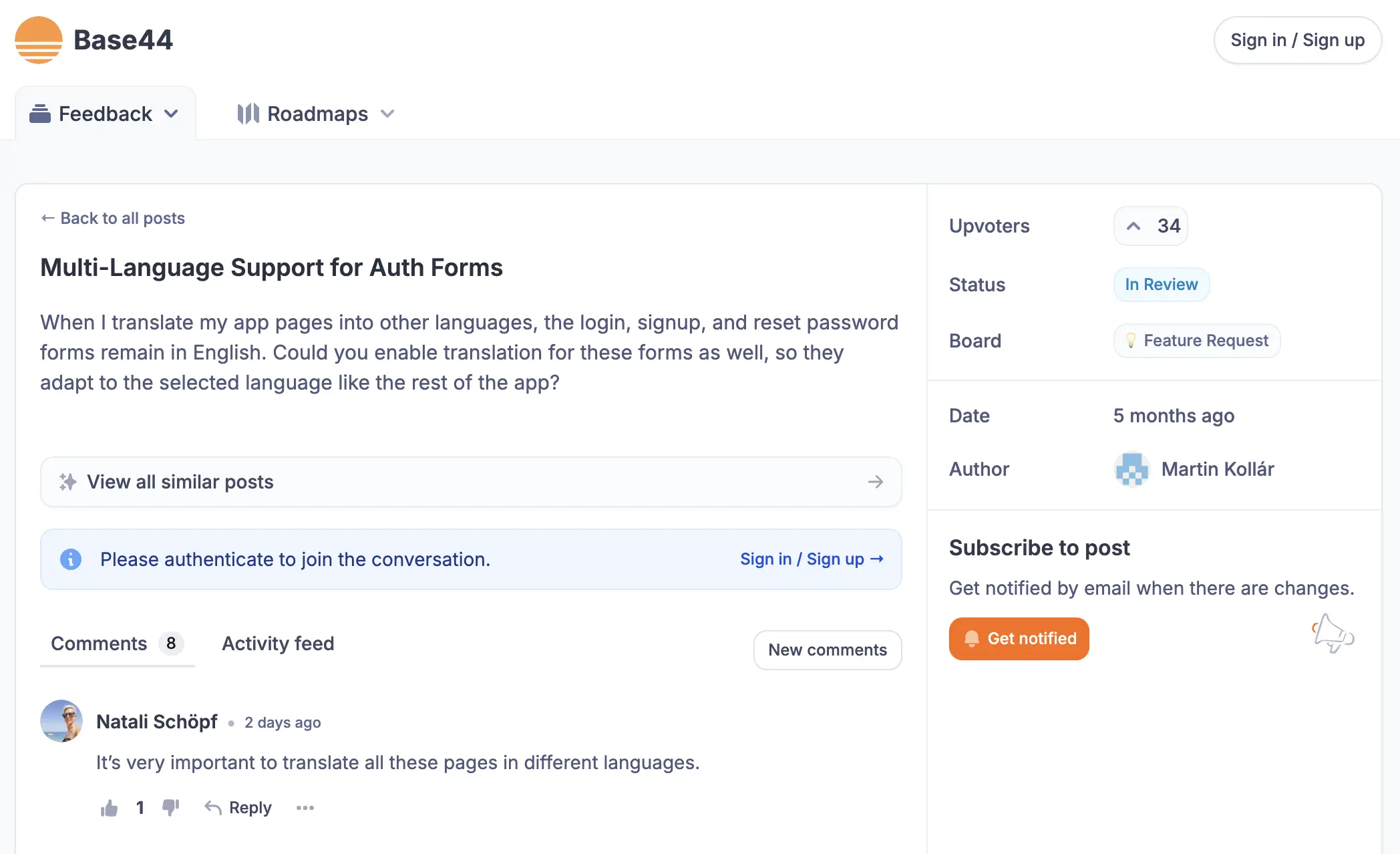
Authentication pages remain in English. Even when users translate their app pages into other languages, the login, signup, and password reset forms stay in English. For apps targeting Portuguese, Spanish, or German markets, this creates a jarring user experience.
No native i18n infrastructure. Base44 generates React-based applications but doesn't include react-i18next or similar internationalization frameworks by default. Users attempting to add these manually often break their apps.
Email templates can't be translated. System emails (password resets, notifications) remain in English regardless of user preferences.
The
<html lang>attribute is fixed. This affects how browsers detect the page language and offer automatic translation, creating problems for international audiences.
The Auth Page Problem: 461+ Users Can't Be Wrong
The most upvoted feature request on Base44's feedback portal specifically addresses authentication translation. Users from Brazil, Spain, Italy, and France have left comments like:
"When I translate my app pages into other languages, the login, signup, and reset password forms remain in English"
"Please, put a login Page in Portugues-B"
"For professional use and professional clients it must be translated"
"Such a great platform for building cool projects, and a simple multi-language feature doesn't exist"
This problem remains marked as "In Review" with no native solution announced.
Current Solutions: Why Widgets Aren't Enough
Two external tools currently market themselves for Base44 translation: Weglot and Common Ninja's Website Translator. Both use a similar approach—injecting a translation widget via external script.
How Widget-Based Translation Works
These solutions operate by:
Adding an external JavaScript snippet to your Base44 app
Scanning visible text content on page load
Replacing text with translations from their database
Displaying a language switcher UI element
Where the Widget Approach Falls Short
While widget-based translation works for static marketing sites, Base44 apps present unique challenges:
Auth flows aren't captured. Login pages, signup forms, and password reset screens are typically rendered before the translation widget initializes—or use secure components that widgets cannot access.
Dynamic content timing issues. Base44's React-generated interfaces render dynamically. Translation widgets may not catch content that loads after initial page render.
External dependency. Your app's language functionality depends on a third-party script loading correctly. If their CDN has issues, your translations disappear.
Cost scales with word count. Widget providers typically charge based on translated words. For apps with significant dynamic content, costs escalate quickly.
No email translation. System-generated emails remain entirely in English regardless of widget configuration.
What Proper Base44 Internationalization Requires
True multi-language support for Base44 apps needs to address the core architecture, not just visible text.
Native i18n Integration
Rather than post-processing text after render, internationalization should be built into the application structure:
Translation keys replace hardcoded strings throughout the codebase
Locale files (JSON format) store translations for each language
Language detection respects browser preferences and user selection
Consistent coverage including auth pages, emails, and system messages
SEO-Ready Multilingual Structure
For apps with public-facing content, proper internationalization includes:
Language-specific URLs (subdirectories like
/es/or/fr/)Correct
<html lang>attributes for each language versionHreflang tags telling search engines about language variants
Localized metadata (titles, descriptions) for each language
Complete Component Coverage
Every user-facing element needs translation capability:
Component | Widget Solutions | Native i18n |
|---|---|---|
Main app content | ✅ | ✅ |
Navigation menus | ✅ | ✅ |
Login page | ❌ | ✅ |
Signup form | ❌ | ✅ |
Password reset | ❌ | ✅ |
Error messages | Partial | ✅ |
Email templates | ❌ | ✅ |
System notifications | ❌ | ✅ |
How Lovalingo Solves Base44 Localization
Lovalingo takes a different approach—providing native internationalization specifically designed for AI-generated React applications like those built with Base44.
Architecture-Level Integration
Instead of adding a translation layer on top, Lovalingo integrates at the build level:
Automated string extraction identifies all translatable text in your Base44 app
Translation key injection replaces hardcoded strings with i18n function calls
Locale file generation creates JSON files for each target language
Component coverage includes auth pages and system components
Full Auth Page Translation
The most-requested feature—translating login and signup pages—is handled automatically:
Login form labels and placeholders
Signup field names and validation messages
Password reset instructions
Error messages ("Invalid email", "Password too short")
Success confirmations
Developer-Friendly Implementation
For users who want to customize or extend translations:
Standard JSON locale file format
Compatible with react-i18next patterns
Translation keys follow predictable naming conventions
Easy to add new languages or modify existing translations
SEO-Native Architecture
Unlike widget solutions that rely on client-side JavaScript, Lovalingo implements:
Proper hreflang tags for search engine language targeting
Static language URLs that search engines can index independently
Server-side language detection for faster initial render
Correct
<html lang>attributes automatically set per language
Step-by-Step: Adding Multi-Language Support to Your Base44 App
Step 1: Audit Your Current App
Before adding translations, identify all text that needs localization:
Page content and headings
Button labels
Form fields and validation messages
Navigation items
Footer content
Email templates (if applicable)
Step 2: Choose Your Target Languages
Consider your audience when selecting languages:
Spanish: 500M+ speakers, strong Latin American tech adoption
Portuguese: 260M+ speakers, growing Brazilian SaaS market
French: 300M+ speakers, required for parts of Canada and Africa
German: Key European market with high purchasing power
Japanese: High-value market with specific localization requirements
Step 3: Implement Translation Infrastructure
With Lovalingo, the setup process includes:
Connect your Base44 project
Select target languages
Review automatically extracted strings
Generate or import translations
Deploy the localized version
Step 4: Configure Language Detection
Decide how users will experience language selection:
Browser-based detection: Automatically serve content in the user's browser language
Manual selection: Display a language switcher component
URL-based routing: Use paths like
/es/or/fr/for each language version
Step 5: Test Thoroughly
Critical testing areas for Base44 localization:
Login page displays in correct language
Signup form labels are translated
Validation errors appear in user's language
Password reset emails arrive in correct language
Language persists across sessions
SEO tags are correct for each language version
Language switcher functions on all pages
Comparing Base44 Translation Options
Feature | Lovalingo | Weglot | Common Ninja |
|---|---|---|---|
Login page translation | ✅ | ❌ | ❌ |
Signup form translation | ✅ | ❌ | ❌ |
Email translation | ✅ | ❌ | ❌ |
No external script required | ✅ | ❌ | ❌ |
JSON locale files | ✅ | ❌ | ❌ |
| ✅ | ✅ | ❌ |
Hreflang SEO tags | ✅ | ✅ | ❌ |
Built for vibe coding | ✅ | ❌ | ❌ |
Transparent pricing | ✅ | Hidden until signup | Freemium with limits |
Weglot Limitations for Base44
Weglot positions itself as a comprehensive translation solution with impressive social proof (HBO, IBM, Nielsen logos). However, for Base44 specifically:
Requires external script injection into your app
Cannot access auth components rendered before widget loads
Pricing scales with word count, creating unpredictable costs
No specific optimization for AI-generated React apps
Documentation focuses on traditional CMS platforms
Common Ninja Limitations for Base44
Common Ninja's Website Translator offers a widget-based approach with:
Generic templated solution (same product for all platforms)
Embed code insertion required
No SEO features (hreflang, language URLs)
No mention of auth page translation
No AI/vibe coding specific features
[IMAGE: Side-by-side comparison of Lovalingo vs Weglot vs Common Ninja feature sets]
FAQ: Base44 Translation Questions
Can I translate my Base44 login page?
Yes, but not with widget-based solutions like Weglot or Common Ninja. These tools inject translations after page load and cannot access authentication components. Lovalingo provides native i18n that includes all auth pages automatically.
Does Base44 support multi-language natively?
No. As of January 2026, Base44 does not include built-in internationalization features. The localization request has 461+ upvotes on their feedback portal and remains "In Review." External solutions are required for multi-language apps.
Why does my Base44 app break when I try to add translations?
Base44 generates React applications with a specific structure. Manually injecting i18n libraries without proper configuration can cause rendering failures. This is why users report their apps "becoming blank and unfixable." Native integration tools like Lovalingo handle this complexity automatically.
How do I change the <html lang> attribute in Base44?
Base44 doesn't provide native control over the <html lang> attribute. This requires either a localization solution like Lovalingo that handles this automatically, or custom code injection that may break with Base44 updates.
Can I use react-i18next with Base44?
Technically yes, but Base44 doesn't support this natively. You'd need to export your code, add the library manually, configure it, and handle deployment separately—losing the benefits of Base44's managed hosting and vibe coding workflow.
What about the vibe-i18n CLI tool?
vibe-i18n is a command-line tool designed for developers managing translations in Vue.js and Next.js projects. While it's built for "vibe coding" workflows, it's a developer CLI—not a product solution for Base44's no-code audience. It requires manual setup and doesn't solve the Base44-specific auth page problem.
How much does Base44 translation cost?
Weglot: Starts at €15/month but scales with word count (pricing hidden until signup)
Common Ninja: Freemium model with feature limitations
Lovalingo: Transparent per-project pricing with no word count restrictions
Which languages should I prioritize for my Base44 app?
Focus on languages where your users are:
Highest ROI markets: Spanish (Latin America), Portuguese (Brazil), German (DACH region)
Growing SaaS adoption: French (France + Canada), Japanese, Korean
Consider support capacity: Can you handle customer inquiries in these languages?
Next Steps: Get Your Base44 App Speaking Every Language
The 461+ Base44 users requesting localization features aren't wrong—multi-language support is essential for reaching global audiences. While Base44 works on native solutions, Lovalingo fills the gap with proper internationalization that covers what widget-based solutions miss:
✅ Full auth page translation (login, signup, password reset)
✅ Email template localization
✅ Native i18n architecture (no external scripts)
✅ SEO-ready with hreflang and language URLs
✅ JSON locale files for developer control
✅ Built specifically for AI-generated React apps
Stop losing users who can't read your login page.
Frequently asked questions
What language does Base44 use?
Base44 generates standard React + Vite apps, typically using JavaScript or TypeScript in the frontend. Because the output is React, you can add Lovalingo as the i18n layer after generation.
Can Base44 apps support multiple languages?
Yes. Base44 apps can support multiple languages when the generated app includes an i18n layer. Lovalingo adds automatic translation without requiring manual message files.
What is the easiest way to translate a Base44 app?
The easiest path is to add Lovalingo to the Base44 React project, configure the locales, and let Lovalingo translate UI copy automatically.