
The Easiest Way to Translate Next.js (No JSON Files Required)
Discover the easiest way to add multilingual support to your Next.js app without the hassle of JSON files or complex middleware. This guide shows you how to translate your Next.js site in under minutes, simplifying your i18n workflow. Say goodbye to manual translation file management and build-time complexity.
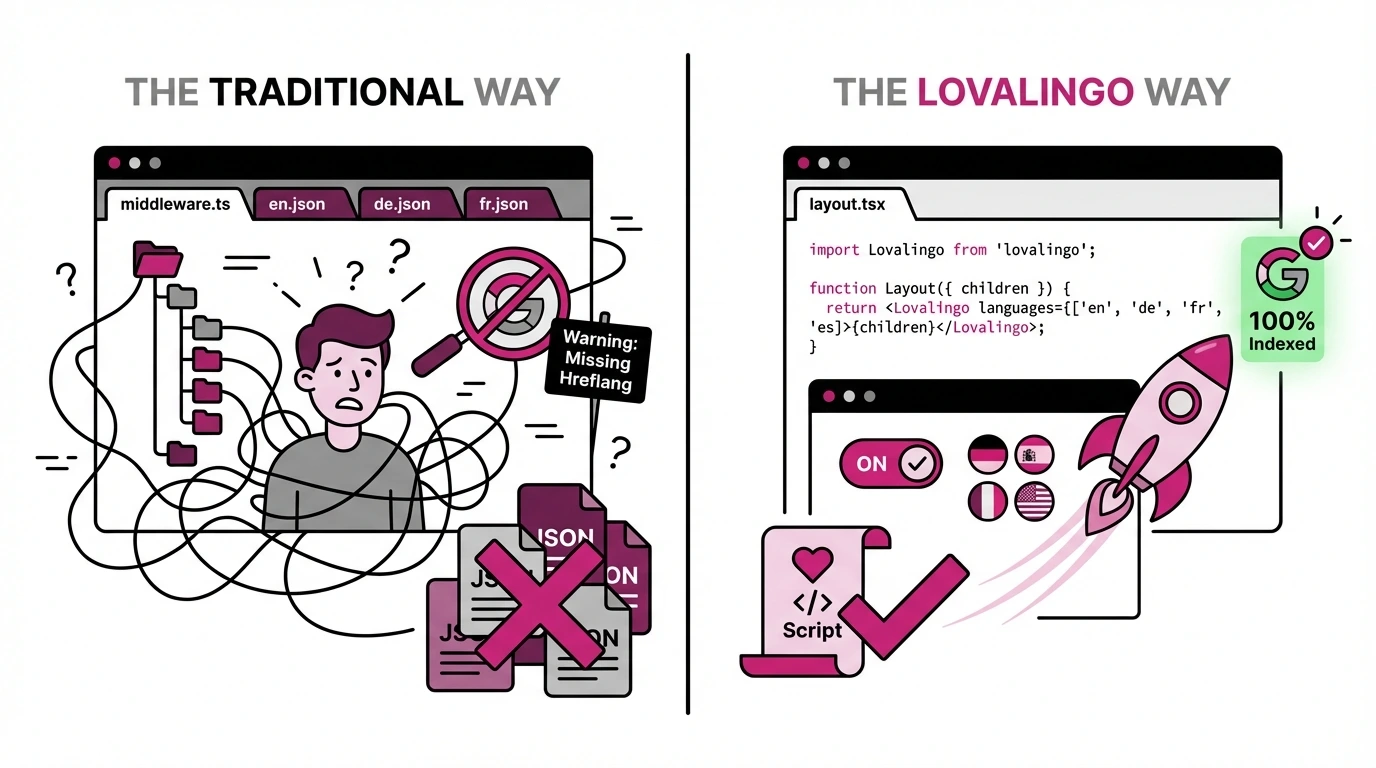
Every Next.js language translation tutorial starts the same way: install next-intl, create a middleware.ts file, set up dictionary folders, maintain JSON files for every language, configure generateStaticParams, and hope nothing breaks when you update your content.
What if you could skip all of that?
This guide shows you how to add multilingual support to your Next.js app in under minutes - without touching middleware configuration or maintaining translation files manually.
Why Traditional Next.js i18n Is Painful
The standard approach to Next.js internationalization involves several moving parts that compound in complexity as your app grows.
The middleware requirement. You need to create routing logic that detects user language preferences, redirects to locale-prefixed URLs, and handles edge cases. The official Next.js docs show a middleware.ts file with 30+ lines of boilerplate before you've translated a single word.
The JSON file problem. Libraries like next-intl and next-translate require you to maintain separate JSON dictionaries for each language. Add a button? Update en.json, es.json, fr.json, de.json. Change a headline? Update four files again. Forget one? Your German users see English fallbacks randomly scattered through the interface.
The synchronization nightmare. When your app has 200 strings across 5 languages, you're managing 1,000 translation entries. Miss one during a feature update, and you've created an inconsistent user experience that's difficult to debug.
The build-time complexity. Static generation with multiple locales requires generateStaticParams configuration for every dynamic route. One misconfiguration means missing pages in production.
This workflow made sense when development cycles measured in months. It makes less sense when you're shipping features weekly with modern tools.
Lovalingo vs next-intl: A Direct Comparison
Here's what adding German translation looks like with each approach:
Task | next-intl | Lovalingo |
|---|---|---|
Initial setup | Install package, create middleware.ts, configure i18n routing, set up dictionary structure | Run one installation prompt |
Add new language | Create new JSON file, add to config, update generateStaticParams | Select language in dashboard |
Translate new content | Manually add keys to all JSON files | Automatic detection |
Handle routing | Configure middleware redirects | Automatic path-based URLs |
SEO (hreflang tags) | Manual implementation | Automatic generation |
Sitemap per language | Manual configuration | Automatic generation |
Maintenance overhead | Update JSON files with every content change | None |
The difference isn't just convenience. It's architectural.
next-intl and similar libraries require you to extract every translatable string into keys, maintain those keys across files, and keep everything synchronized manually. Lovalingo detects translatable content automatically and handles translation at build time.
How Lovalingo Works with Next.js
Lovalingo takes a fundamentally different approach to Next.js translation. Instead of requiring you to restructure your app around translation keys, it wraps your existing components and handles internationalization transparently.
Step 1: Install the package
Add Lovalingo to your Next.js project:
npm install @lovalingo/lovalingo
Step 2: Wrap your app
Add the provider to your root layout:
// app/layout.tsx
import { LovalingoProvider } from '@lovalingo/lovalingo';

export default function RootLayout({ children }) {
  return (
    <LovalingoProvider
      publicAnonKey="your_public_key"
      defaultLocale="en"
      locales={["de", "es", "fr"]}
      routing="path"
    >
      {children}
    </LovalingoProvider>
  );
}
Step 3: Deploy
That's it. Your Next.js app now serves translated content at /de/, /es/, and /fr/ paths.
No middleware.ts. No JSON dictionaries. No generateStaticParams configuration for locales.
The SEO Advantage: Build-Time vs Runtime Translation
Here's where the architectural difference matters most.
Runtime translation tools (including some configurations of next-intl) inject translations after the page loads. Search engines crawl your initial HTML response. If translations only exist after JavaScript executes, Google indexes your English content and ignores everything else.
Lovalingo generates translations at build time. When Googlebot crawls your /de/ page, it sees German content in the initial HTML response. The hreflang tags exist in the document head. The translated metadata appears in the source.
This matters for international SEO. A page that search engines can't read is a page that won't rank.
What Lovalingo generates automatically:
Hreflang tags linking all language versions
Language-specific URLs (
/de/about,/es/about)Translated meta titles and descriptions
Multilingual XML sitemap
Proper
<html lang="">attributes
With next-intl, you configure each of these manually. With Lovalingo, they're included by default.
When to Use Traditional i18n Libraries
Lovalingo isn't the right choice for every project.
Use next-intl or next-translate when:
You need granular control over every translation
Your team includes dedicated localization engineers
You're building a large-scale application with complex pluralization rules
You have existing translation workflows with external TMS integration
Use Lovalingo when:
You want multilingual support without restructuring your codebase
You're shipping features faster than you can maintain JSON files
SEO in multiple languages is a priority
You don't have dedicated localization resources
The decision often comes down to whether you want to manage translations or have them managed for you.
Setting Up Multilingual SEO in Next.js
Regardless of which approach you choose, proper multilingual SEO requires several technical elements.
Hreflang tags tell search engines which language version to show users in different regions:
<link rel="alternate" hreflang="en" href="https://example.com/page" />
<link rel="alternate" hreflang="de" href="https://example.com/de/page" />
<link rel="alternate" hreflang="x-default" href="https://example.com/page" />
Language-specific URLs provide clear signals to search engines. Subdirectories (/de/, /fr/) work best for most Next.js applications because they consolidate domain authority.
Translated metadata ensures your pages appear correctly in local search results. A German user should see German titles and descriptions in their search results, not English.
XML sitemaps for each language help search engines discover all your translated pages efficiently.
With next-intl, you implement each element individually. The official Next.js docs cover routing but explicitly state that "localization is not something specific to Next.js" - meaning the framework provides URL structure but not the translation infrastructure.
Lovalingo includes all four elements automatically when you enable SEO signals in the dashboard.
Real Performance: From Zero to Indexed
After configuring Lovalingo on a Next.js marketing site, Google Search Console showed:
2,180 impressions across multilingual pages within 6 weeks
79 clicks from organic search in non-English markets
Position 12.3 average for translated content
The growth curve followed a predictable pattern: flat for the first two weeks while Google discovered the new language URLs, then steady acceleration as translated pages gained ranking authority.
This timeline - roughly 2-3 weeks to initial indexing, 4-6 weeks to meaningful traffic - aligns with typical SEO expectations for new content. The difference is achieving it without building custom i18n infrastructure.
Getting Started
Adding language translation to Next.js doesn't require middleware configuration or JSON file maintenance anymore.
If you're building with the App Router and want multilingual support without the traditional complexity:
Create a free account at lovalingo.com
Add your Next.js domain
Run the installation prompt
Enable SEO signals
Submit your sitemap to Google Search Console
Your Next.js app serves translated content within minutes. Google indexes your language versions within weeks.
The 71,000+ weekly downloads of next-translate show that developers want Next.js translation solutions. The question is whether you want to manage that translation infrastructure yourself or have it handled automatically.